

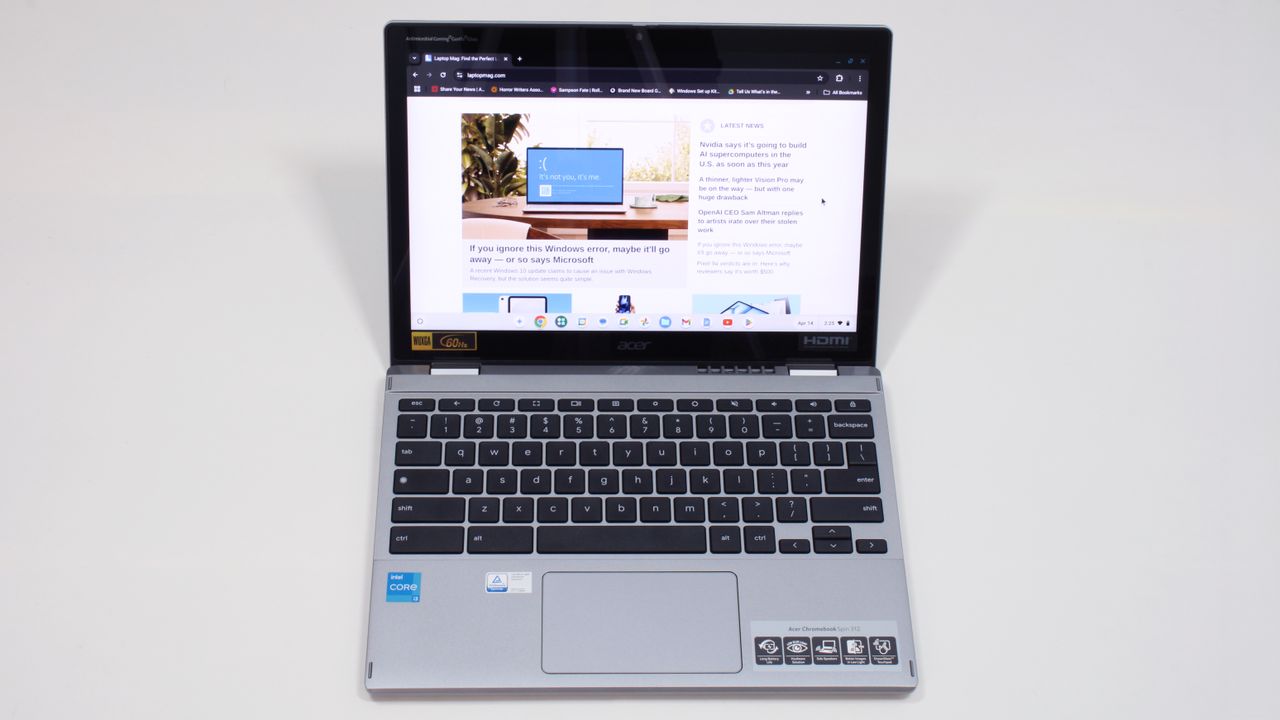
The Perilous Pursuit of Value: Navigating the Sub-$500 Laptop Landscape in 2025
As senior tech columnists and industry critics, we observe the technology market with a discerning eye, often with a healthy dose of skepticism. The notion of finding a 'great' laptop under $500 in 2025 has become less a quest for a bargain and more an exercise in managing expectations. We acknowledge the recent findings from Laptop Mag, which suggests that viable options indeed exist across various form factors – clamshells, Chromebooks, and 2-in-1 hybrids. However, our analysis goes deeper than a mere list, probing the inherent compromises and the true value proposition these machines offer in an increasingly expensive tech ecosystem.
- The sub-$500 laptop market in 2025 is dominated by Chromebooks, which often offer superior value and performance compared to Windows alternatives in this price bracket.
- Realistic expectations are paramount; users must accept trade-offs in CPU power, RAM, storage speed, and display quality for any machine at this price point.
- Inflation, ongoing chip shortages, and the integration of 'AI-enhanced features' are collectively driving up laptop prices, making true budget gems exceedingly rare.
Context & Background: A Shifting Economic and Technological Tide
The landscape of affordable computing has undergone a dramatic transformation over the past few years. What $500 could procure a decade ago bears little resemblance to today's offerings. Historically, budget laptops often meant accepting sluggish performance, abysmal battery life, and flimsy build quality. The market, however, has evolved, pushed by both technological advancements and, paradoxically, economic pressures.
In 2025, we are grappling with a confluence of factors: persistent global semiconductor shortages, rising raw material costs, and logistical challenges. These macroeconomic shifts have effectively recalibrated the baseline for what constitutes 'affordable' technology. As such, the challenge of identifying a truly competent laptop under the $500 mark has intensified, moving from a mild inconvenience to a significant hurdle for consumers.
Critical Analysis: The Art of Compromise in Budget Computing
When delving into the sub-$500 category, it becomes immediately apparent that every machine is a study in compromise. Manufacturers are forced to make stark choices to hit such aggressive price points, often sacrificing areas critical to user experience. Our skepticism is not born of cynicism, but rather a keen understanding of these inherent trade-offs.
The Processor Predicament and Memory Bottlenecks
At the heart of any laptop lies its processor. In the sub-$500 segment, users typically encounter Intel Celeron or Pentium chips, entry-level AMD Athlon or Ryzen 3 series, or MediaTek Kompanio processors. While these are sufficient for basic tasks like web browsing, email, and word processing, they quickly hit their limits with more demanding applications or extensive multitasking. The promise of 'AI-infused next-level performance' in some Chromebooks remains a point of critical observation, as true on-device AI often requires more robust silicon. This echoes our previous discussions on the folly of 'smart' browsers and the limitations of AI agents, where performance often hinges on cloud infrastructure rather than local hardware.
Coupled with processor limitations is the prevailing scarcity of adequate RAM and storage. We frequently observe configurations with 4GB or 8GB of RAM, often paired with slower eMMC storage or, if fortunate, a small 128GB to 256GB SSD. While 8GB of RAM is generally recommended for smoother operation, anything less can lead to frustrating slowdowns, particularly with modern operating systems and web applications. The type of storage is also critical; eMMC, while cost-effective, is significantly slower than even a basic SATA SSD, let alone NVMe SSDs, which are now becoming standard in more capable machines.
Display Dilemmas and Build Quality Concerns
Another area of significant compromise is the display. At this price point, we often encounter TN (Twisted Nematic) panels, which suffer from poor viewing angles and color reproduction. While 1080p resolution is becoming more common, it's the underlying panel technology and brightness levels that truly impact usability. Dim, washed-out screens can quickly lead to eye strain and diminish the overall user experience, particularly in varied lighting conditions.
Build quality also invariably takes a hit. Plastics are the material of choice, and while some budget laptops feel surprisingly well-built for their price, concerns around hinge durability and overall chassis rigidity are common. This isn't merely an aesthetic issue; it directly impacts the longevity and perceived value of the device. A laptop that feels flimsy or breaks easily, regardless of its initial cost, is ultimately a poor investment.
Operating System Philosophy: Windows vs. Chrome OS
The choice between Windows and Chrome OS is perhaps the most defining decision in the sub-$500 segment. Windows laptops, even with entry-level Intel Core i3 or i5 processors, often struggle to deliver a truly fluid experience due to the OS's inherent resource demands. The Acer Aspire 3, for instance, offers snappy processing for under $500, but its higher-end configurations struggle to compete.
Chromebooks, on the other hand, shine in this price range. Their lightweight, cloud-centric Chrome OS is optimized to run efficiently on less powerful hardware, often providing a smoother, more responsive experience. Models like the Lenovo IdeaPad Flex 5i Chromebook Plus or the Lenovo Duet 5 Chromebook exemplify this, offering solid performance and impressive battery life for their cost. This emphasis on optimization for lower specs is a significant advantage, as we've noted previously in our analyses of watchOS updates and Nothing OS's Android 16 boost – software efficiency is paramount.
Form Factors in Focus: Clamshells, Chromebooks, and 2-in-1s
Laptop Mag highlights the availability of budget laptops across various form factors. Each comes with its own set of trade-offs:
- Clamshells: These traditional laptops often offer the best raw specifications for the price, providing a conventional computing experience. However, they lack the versatility of convertible designs. The Acer Aspire Go 15, for example, is lauded for its 1080p IPS screen and solid performance for everyday use.
- Chromebooks: As discussed, these excel in efficiency and battery life. They are ideal for users primarily relying on web applications and cloud storage. However, they come with limitations in software compatibility, particularly for Windows-specific applications or AAA gaming unless utilizing cloud gaming services.
- 2-in-1 Hybrids: These offer the flexibility of both a laptop and a tablet, often with touchscreens and stylus support. However, this versatility frequently necessitates further compromises in core components to stay within the budget, resulting in potentially weaker processors or smaller storage options. While models like the Lenovo IdeaPad Flex 5i Chromebook Plus are highly rated for their value as 2-in-1s, their performance still aligns with budget expectations.
✅ Pros & ❌ Cons
| ✅ Pros | ❌ Cons |
| Surprisingly capable for basic tasks (web browsing, streaming, documents). Excellent battery life often a standout feature. Chromebooks offer exceptional value and smooth performance for their price point. Portability and lightweight designs are common. Many now feature 1080p displays. Integration of AI-enhanced features in some models. | Slower processors (Intel Celeron/Pentium, AMD Athlon) limit multitasking and demanding applications. Limited RAM (often 4GB or 8GB) creates performance bottlenecks. Small, slow storage (eMMC) is common, impacting boot times and file access. Lower-quality displays (TN panels, dim brightness) are frequent. Build quality often compromises durability and premium feel. Windows laptops in this range can feel sluggish and frustrating. 2-in-1 versatility often means further compromises in core specs. |
What This Means for You: Setting Realistic Expectations
For the consumer, the takeaway is clear: the sub-$500 laptop market is not about finding a powerhouse, but rather a tool tailored to specific, light-duty needs. These machines are ideally suited for students, children, or as a secondary device for basic web browsing, email, and productivity applications. They are not engineered for intensive gaming, video editing, or complex software development. If your requirements align with these simpler tasks, then a budget laptop can indeed be a worthwhile investment.
Our recommendation is to prioritize the operating system and key specifications that genuinely impact performance for everyday use. A Chromebook, with 8GB of RAM and at least 128GB of SSD storage, often represents the best balance of performance and value in this segment. For Windows, look for an Intel Core i3 or a capable AMD Ryzen 3, paired with 8GB of RAM and an SSD, to avoid immediate performance frustrations. Don't be swayed by marketing fluff around 'AI' if the core components are underpowered; as we've noted, many AI features still rely heavily on cloud processing.
The Verdict: Navigating the Budget Minefield with Purpose
In conclusion, while Laptop Mag’s assertion of finding solid budget laptops under $500 in 2025 is technically true, our deeper dive reveals a market fraught with deliberate compromises. We believe the critical distinction lies not in the mere existence of these devices, but in understanding their limitations and aligning them precisely with user needs. The ideal buyer for a sub-$500 laptop is someone with a clear, basic use-case: a student needing a portable machine for assignments, a casual user for web browsing and media consumption, or a household seeking a secondary device. Expecting anything more is a recipe for disappointment.
We strongly recommend prioritizing Chromebooks in this price bracket, as their optimized OS inherently offers a more fluid experience on constrained hardware. For those committed to Windows, diligently search for models with at least an Intel Core i3 (11th Gen or newer) or AMD Ryzen 3 processor, coupled with a minimum of 8GB RAM and a 128GB SSD, to ensure a tolerable level of performance. Always scrutinize the display specifications – aim for an IPS panel at 1080p if possible, even if it means a slightly smaller screen size. Remember, a truly 'great' budget laptop isn't about top-tier specs, but about delivering a reliable, frustration-free experience within its very specific limitations.
What are your experiences with budget laptops in recent years? Have you found a sub-$500 gem, or have the compromises proven too steep? Let us know in the comments below!
Frequently Asked Questions
Analysis and commentary by the NexaSpecs Editorial Team.
📝 Article Summary:
In 2025, finding a great laptop under $500 requires managing expectations and understanding significant compromises in performance and features. Chromebooks often offer the best value in this price range due to their optimized operating system, while Windows options demand careful selection of core specifications like RAM and SSD storage. Our analysis, building on Laptop Mag's findings, highlights the ongoing challenges of affordability amidst rising component costs and the integration of AI-enhanced features.
Keywords:
Words by Chenit Abdel Baset